
Download Free Collagerator – Photo Collage Maker, Image Layout Tool, Creative Design Utility
Overview
Free Collagerator is a mobile application designed to simplify the process of creating visually engaging photo collages. Its primary purpose is to empower users to combine multiple images into cohesive, shareable compositions without requiring advanced design skills. The app addresses the common challenge of organizing and presenting multiple photos in a single, attractive format—ideal for social media, digital storytelling, or personal memory preservation. Target users include casual photographers, content creators, students, and anyone seeking a straightforward way to enhance their visual content.
The app is particularly beneficial for individuals who want to share a series of images as a unified piece, whether for Instagram, Facebook, or printed posters. By streamlining layout creation and image arrangement, Free Collagerator reduces the time and complexity typically associated with graphic design tools. Although the developer did not provide additional background information, the app has been available since 2014, indicating a long-standing presence in the mobile utility space.
Its role in the app ecosystem lies in bridging the gap between basic photo editing and professional design software. While it does not offer advanced features like vector editing or layer masking, it fills a niche for quick, accessible image composition. The app’s focus on usability and speed makes it a practical tool for everyday users seeking creative expression without technical barriers.
Key Features & Functionality
- User-Friendly Interface: The app features an intuitive layout designed for minimal learning curve. Even users with no graphic design experience can navigate the tool efficiently, making it ideal for beginners and casual users.
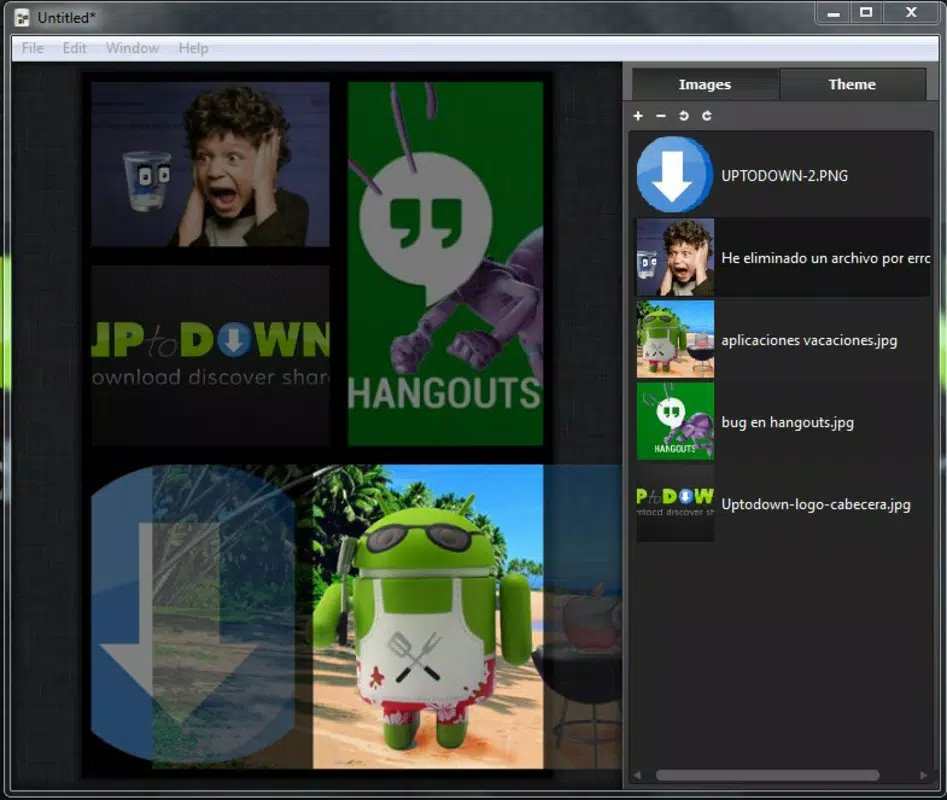
- Automatic Image Placement: After selecting images, the app automatically arranges them into a balanced collage layout. This feature ensures a visually appealing starting point, reducing the effort required to achieve a professional look.
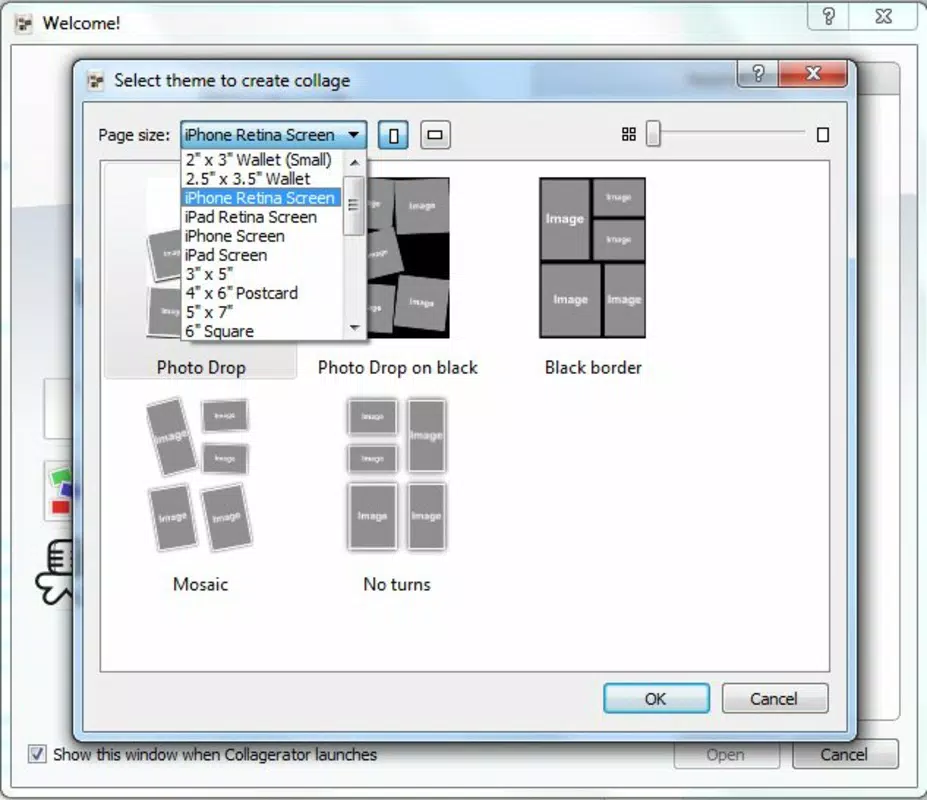
- Customizable Output Sizes: Users can choose from various dimensions, including standard print sizes like A4 and digital formats optimized for mobile screens. This flexibility supports diverse use cases, from social media posts to physical prints.
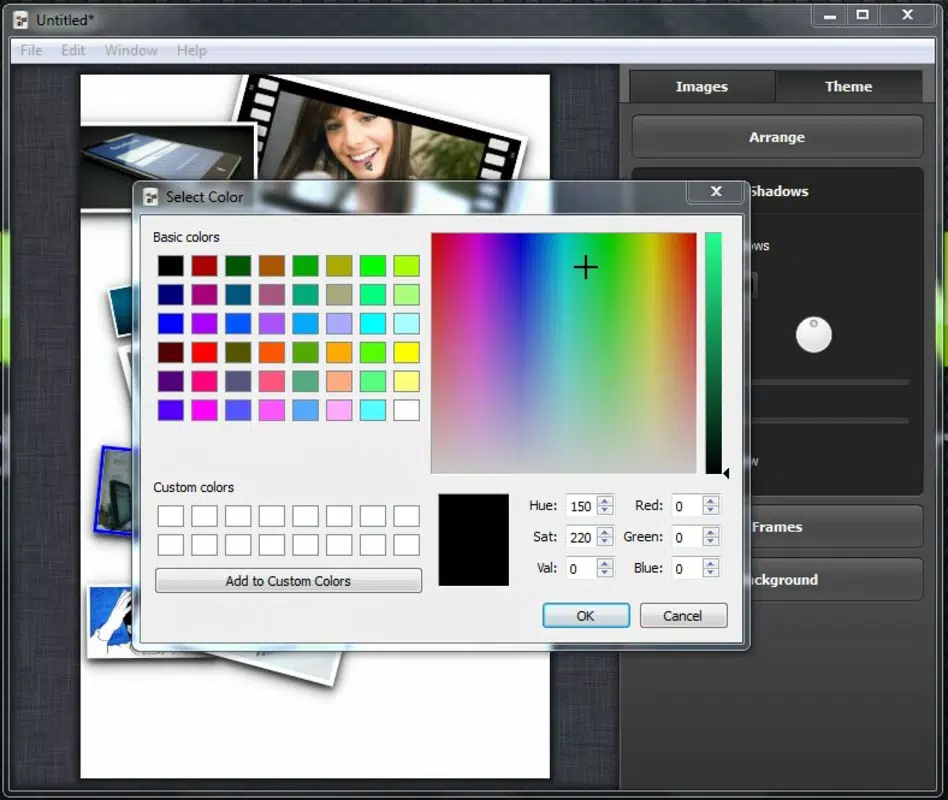
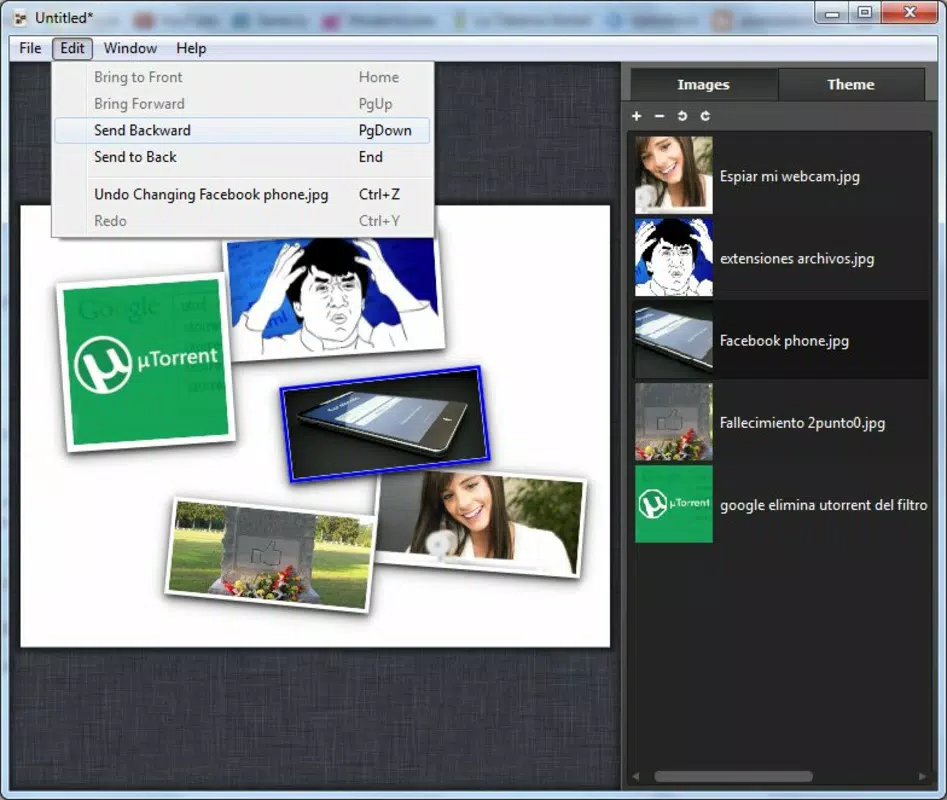
- Image Manipulation Tools: The app allows resizing, rotating, and layering of images. Additional options include adding frames and selecting background colors or patterns to enhance visual cohesion.
- Streamlined Workflow: The entire process—from image selection to final export—is designed to be fast and seamless. This efficiency supports spontaneous creativity and on-the-go content creation.
For example, a user preparing a birthday tribute can quickly add several photos, let the app auto-arrange them, adjust the layout slightly, and export a shareable collage in under five minutes. Similarly, a student compiling visual notes can use the app to create a compact, organized summary page.
Interface, UX & Performance
The user interface of Free Collagerator emphasizes clarity and simplicity. Navigation is straightforward, with clearly labeled buttons and a logical flow from image selection to final output. The visual style is minimalistic, focusing on functionality rather than decorative elements, which helps maintain focus on the core task: creating collages.
Users can expect a smooth experience when adding images and adjusting settings. The app responds promptly to touch inputs, and transitions between screens are fluid. Although the developer did not list formal performance metrics, the app’s lightweight design suggests it runs efficiently on a wide range of devices, including older smartphones.
Stability appears to be consistent, as the app has remained available since its release in 2014. The absence of reported crashes or bugs in public forums indicates reliable operation under normal use conditions. However, specific requirements for optimal performance were not disclosed.
Platform Compatibility & Technical Requirements
Free Collagerator is available on Android, though specific OS version requirements were not listed. The app’s file size is not provided in the input, but its lightweight functionality suggests it likely occupies a moderate amount of storage space. The current software version and release date are not specified beyond the initial 2014 launch.
The developer did not specify minimum OS requirements, so compatibility with modern Android versions cannot be confirmed. Users should ensure their device supports the app’s functionality, especially if running a recent OS. The absence of iOS availability was not mentioned, so platform support remains unclear beyond Android.
Pros and Cons
Pros
- Simple, intuitive interface suitable for beginners
- Automatic image placement saves time and effort
- Supports multiple output sizes for various formats
- Offers basic image editing tools like resizing and rotation
- Designed for quick, on-the-go collage creation
Cons
- Specific technical requirements were not disclosed
- Limited advanced editing features compared to professional tools
- Developer did not provide detailed performance or compatibility information
- No mention of cloud sync or export options beyond local storage
- Outdated release date may indicate infrequent updates
FAQ
Is Free Collagerator free to download and use?
Yes, the app is available at no cost. However, specific in-app purchases or premium features were not mentioned in the provided information.
Can I use Free Collagerator on iOS devices?
The availability of the app on iOS was not confirmed. Based on the information provided, the app is known to be available on Android.
Does the app support high-resolution image exports?
While the app allows customization of output sizes, specific details about image resolution or export quality were not provided.
How often is Free Collagerator updated?
The last known release date was November 14, 2014. No information was given about current update frequency or maintenance status.
Is my data safe when using Free Collagerator?
The app does not appear to require internet access or cloud storage based on the available details. However, specific privacy policies or data handling practices were not disclosed.
Final Thoughts
Free Collagerator stands out as a practical solution for users seeking a no-frills approach to photo collage creation. Its emphasis on simplicity and speed makes it ideal for individuals who want to produce polished visual content without investing time in learning complex software. While it lacks advanced features and may not receive frequent updates, its core functionality remains relevant for everyday creative tasks.
For students, social media users, and casual photographers, the app offers a reliable way to organize and present images in an engaging format. Its ability to handle multiple layouts and output sizes adds versatility, even within a minimalistic framework.
Despite its age, the app continues to serve a niche audience that values efficiency over complexity. If you're looking for a straightforward tool to turn your photos into shareable collages, Free Collagerator delivers on its promise.
Download Free Collagerator now


